
Website Builder for Retail Stores & Boutiques: Showcase Products, Drive Foot Traffic
Website Builder for Retail Stores & Boutiques: Showcase Products, Drive Foot Traffic
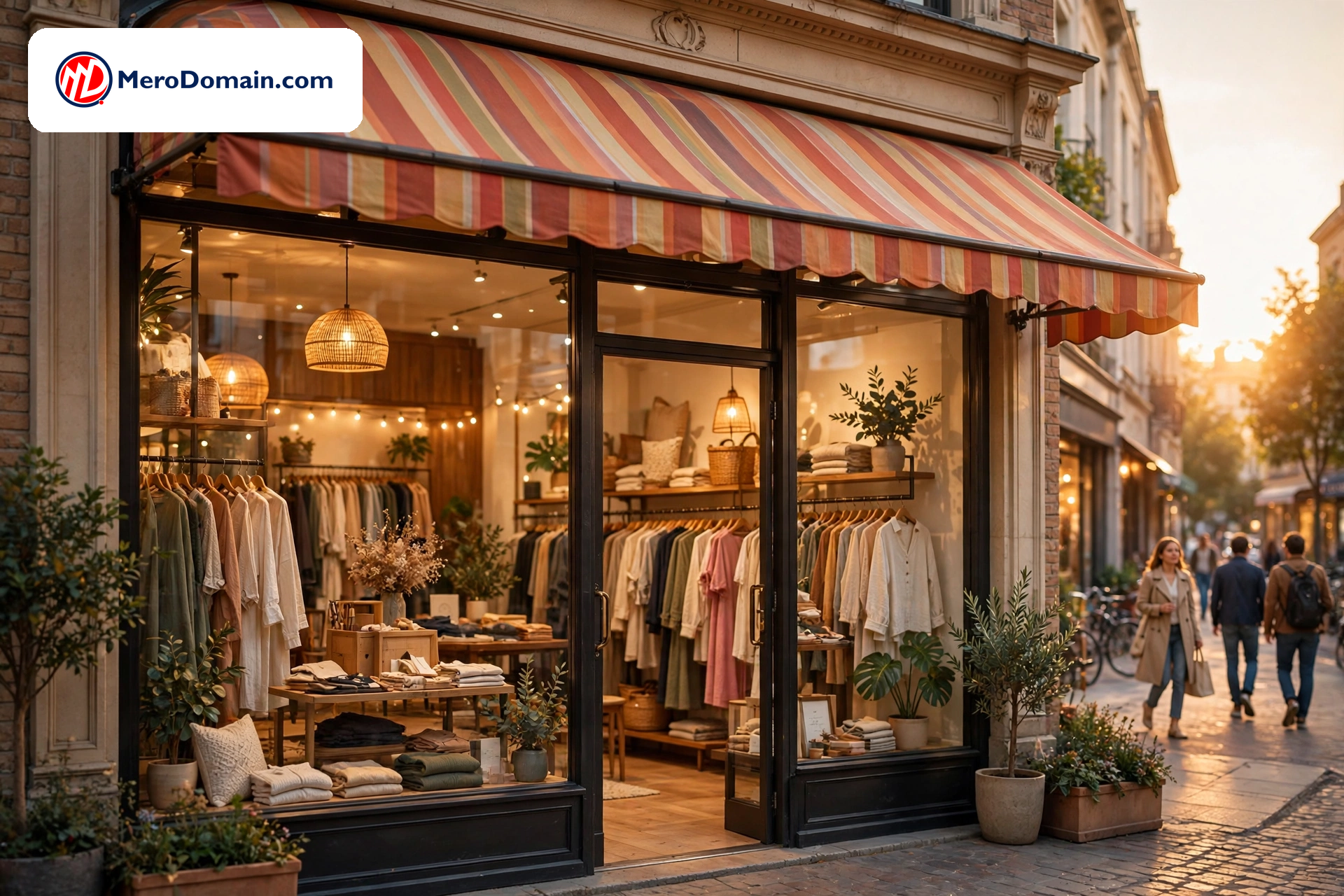
Picture this: a shopper walks past your boutique every morning on the way to work. One day they finally stop, phone in hand, and search for your store name. If what they find is a stale Facebook page, a directory listing with no photos, or nothing at all, that sale walks away before it ever happens. A purpose-built website builder for retail stores exists so that moment ends differently — with the shopper finding a beautiful site, browsing your collection, checking your hours, and walking through your door that same afternoon.
Local retail has a superpower that giant online marketplaces can never match: the experience of being there. The smell of new leather, the way a dress catches the light, the stylist who remembers your name. But experience alone does not pay rent. Your website is what connects that experience to the thousands of people in your neighborhood who have not discovered you yet. Here is how to build one that works as hard as you do.
Why a Website Builder for Retail Stores Beats a Social-Media-Only Presence
Social media is a fine megaphone, but it is a terrible front door. Algorithms decide who sees your posts, and most of your followers see almost none of them. Worse, a Facebook or Instagram page tells a searching customer almost nothing about what you actually sell. They cannot browse your collection, check whether you carry their size, or see that you open at 10 on Saturdays.
Your website is the one corner of the internet you fully control. It answers the three questions every local shopper asks before visiting: what do you sell, where are you, and why should I choose you over the mall? A strong AI website builder gives you that control without requiring design skills — you describe your shop, and the builder assembles a professional layout you can refine in an afternoon.
What a Website Builder for Retail Stores Actually Does
Generic site builders give you a blank page and wish you luck. A builder designed for retail gives you the specific pieces a shop needs: product galleries, lookbooks, store-hours blocks, location maps, and review sections. That difference matters, because retail websites have one job that service-business sites do not: make people want to touch the merchandise in person.
Start from an industry template, not a blank canvas
The fastest path is to choose an industry template made for retail and boutiques. These layouts already place your best product photos front and center, include a collections section, and reserve space for the details shoppers care about — hours, parking, and contact. Starting from a retail template can cut your build time from weeks to a single day, and it keeps you from forgetting essentials like a mobile-friendly layout, which is how most local shoppers will find you.
Make it look like your shop
Your website should feel like walking through your door. Browse website themes until one matches your shop’s personality — minimal and elegant for a jewelry boutique, warm and rustic for a gift shop, bold and urban for a streetwear store. The right theme does half your branding work before you type a single word.
The Six Pages Every Boutique Website Needs
You do not need a sprawling site. Six focused pages cover everything a local shopper needs.
1. A homepage that sells the visit
Lead with one great photo of your storefront or your most photogenic corner. Add your neighborhood, your hours, and one sentence about what makes your shop different. The goal is not to sell online — it is to make the reader think, “I want to go there.”
2. Collections or shop pages
Group your products the way your store does: New Arrivals, Handmade Jewelry, Gifts Under $50. A sense of price range (“most items $25–$120”) removes the fear of an expensive surprise.
3. About your shop
Tell the story of why you opened and who curates the shelves. Boutiques win on personality; a photo of your team behind the counter beats any stock image.
4. Visit us: hours, map, and parking
Your address, a map, parking tips, and holiday hours. This is the page Google shows when someone searches your store name — keep it accurate.
5. Lookbook
A curated photo series showing how your pieces work together. Update it each season to give past visitors a reason to come back.
6. Reviews and testimonials
A few genuine quotes from happy customers do more persuading than any slogan. Pull your best Google reviews onto this page so shoppers never have to hunt for proof.
Lookbooks and Product Galleries That Actually Sell
Photos are your entire sales team online. A little effort here — good window light, a clean background, consistent framing — matters more than a fancy camera.
• Photograph products in context: a scarf draped over a chair, jewelry on an actual person. Context sells lifestyle, and lifestyle sells products.
• Show scale: a handbag next to a familiar object. Shoppers constantly misjudge size from photos alone.
• Refresh monthly: swap in new arrivals and seasonal displays. A gallery that never changes tells repeat visitors there is nothing new to see.
• Name image files descriptively (“handwoven-wool-scarf.jpg”) — a small SEO gift search engines appreciate.
Local SEO: Win the “Near Me” Searches
When someone searches “boutique near me” or “gift shop in [your town],” Google decides which shops to show — and your website is the lever you control. The SEO essentials (mobile speed, clean page structure, location signals) come built into a retail-ready builder rather than bolted on later.
Claim your domain like you claim your storefront
Your web address should be as easy to remember as your shop sign. Register a domain that matches your store name before someone else does — ideally a short, spellable version without hyphens or odd spellings. Print it on your bags, your receipts, and your window decal. Every customer who walks out becomes a potential repeat visitor who can find you from memory.
Speak your neighborhood’s language
Use the words your customers actually search: your town name, your neighborhood, “near [landmark].” A page titled “Handmade Jewelry in [Your Town]” beats a page titled “Our Collection” every time, because it matches what real people type. Add your city to your homepage title, your visit page, and your image descriptions.
Keep hours and details current everywhere
Nothing loses a customer faster than driving to a closed shop. Update holiday hours on your site first, then mirror them on your Google Business Profile. Search engines reward accuracy, and shoppers reward reliability.
Turn Online Browsers Into In-Store Buyers
Most boutique websites will never take a full online order — and that is fine. Design every page to lower the barrier between “browsing” and “coming in.”
Small features that make a big difference: a “Reserve in store” button on popular items (let shoppers hold a piece for 48 hours), a weekly “new arrivals” email signup, and a note about services like gift wrapping or special orders. Each one gives the shopper a reason to choose your door over a one-click checkout from a faceless giant.
What It Really Costs to Get Started
A decade ago, a professional retail website meant hiring an agency for thousands of dollars and waiting months. That math has flipped: with a modern AI-powered builder, a boutique owner can go from idea to published site in a weekend, for less than the cost of one slow afternoon’s lost sales. Start simple — six pages, good photos, accurate hours — and improve from there. A live, modest website beats a perfect one that never launches.
Your 30-Day Launch Plan
Week one: register your domain, pick a retail template, and write your homepage and visit pages. Week two: photograph your top products and build your collections. Week three: write your about page, add reviews, and publish your first lookbook. Week four: claim your Google Business Profile, announce the site on social media, and put your web address on every bag and receipt.
None of this requires technical skill — just the same care you put into arranging your window display. Your storefront stops at the curb; your website carries it into every pocket in the neighborhood. Build it to match the shop you are proud of, keep it fresh, and watch the foot traffic follow.
Try Now — Free AI Website Builder
Related Resources
- AI Website Builder (Free Trial) — Describe your shop and let AI assemble a professional retail website you can refine in an afternoon, free to try.
- Website Themes — Browse design themes matched to your shop’s personality, from minimal jewelry boutiques to bold streetwear stores.
- Industry Templates — Start from layouts built for retail and boutiques, with product galleries, lookbooks, and store-hours blocks included.
- Domain Registration — Claim a short, memorable web address that matches your store name before someone else does.